
Lead Management in Cetec ERP's Integrated CRM
Leads touch multiple people before they become customers. If your CRM is separate from your ERP, sales data and order history are often scattered across systems, which makes it harder for your team to know what was promised, what was quoted, and what to follow up on next.
Cetec ERP includes a fully integrated CRM module inside the same system your team uses for quotes, orders, production, and invoicing. That integration lets you move cleanly from a new lead record to an active customer without retyping data or losing the history that explains how the relationship started.
Create and Qualify a Lead in Cetec ERP
Lead entry in Cetec ERP starts in the Sales module. From the Lead List, your team can create a new lead record that will carry all activity from the first call through to conversion. Users work in one place rather than tracking separate spreadsheets or personal notes.
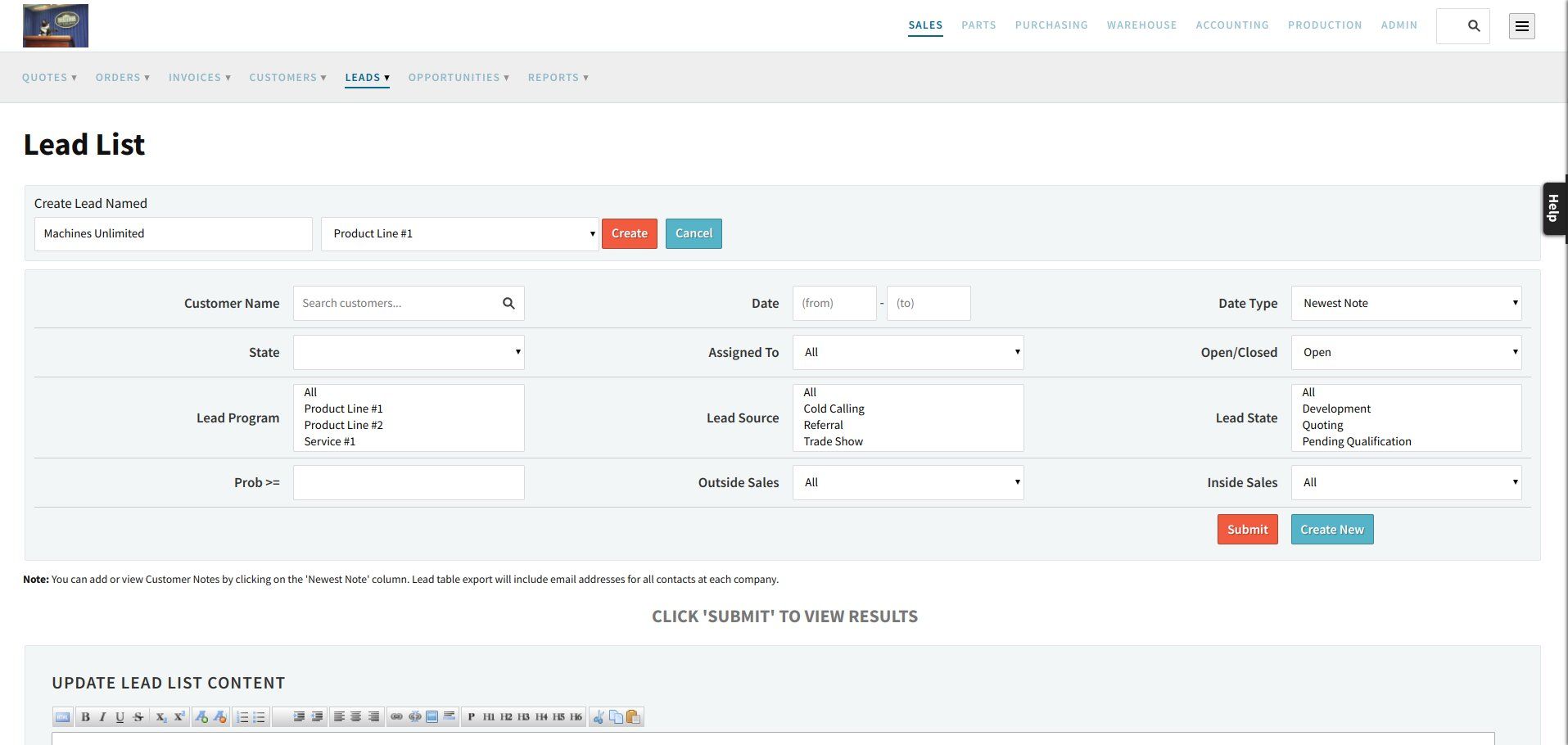
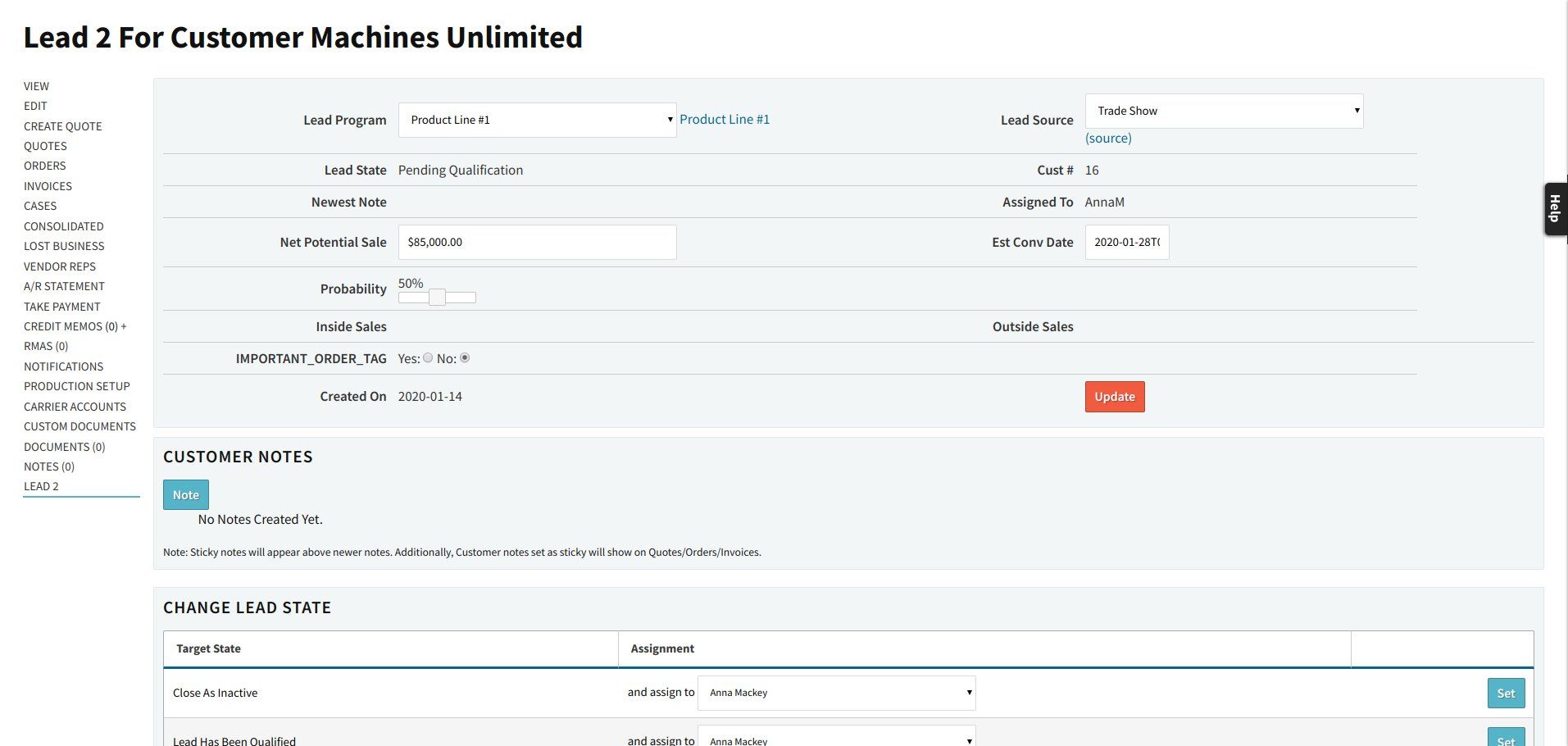
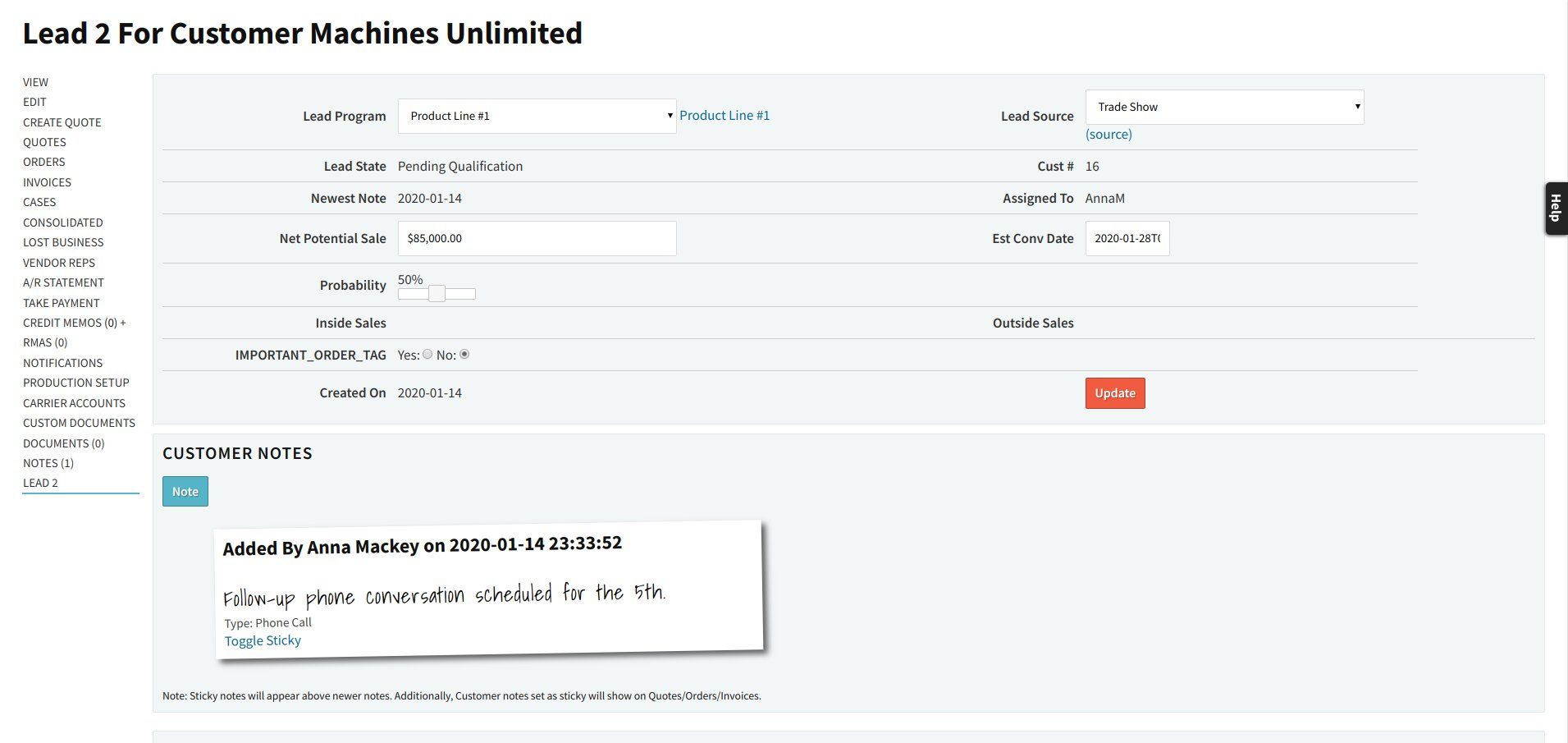
Once the lead record is created, users can activate it and enter the core information that will guide follow up. That includes contact details, lead source and program, net potential sale, and an estimated conversion date, along with any fields your team relies on for forecasting and prioritization.
Control Lead Types and Sources with Data Maintenance
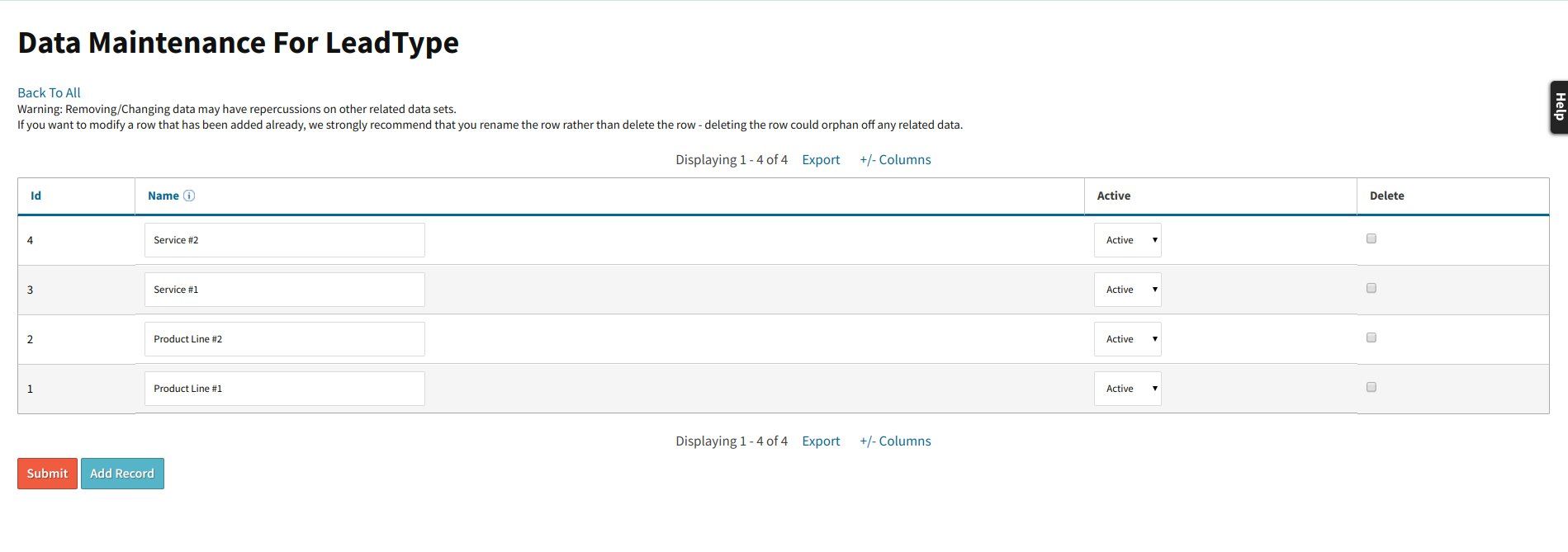
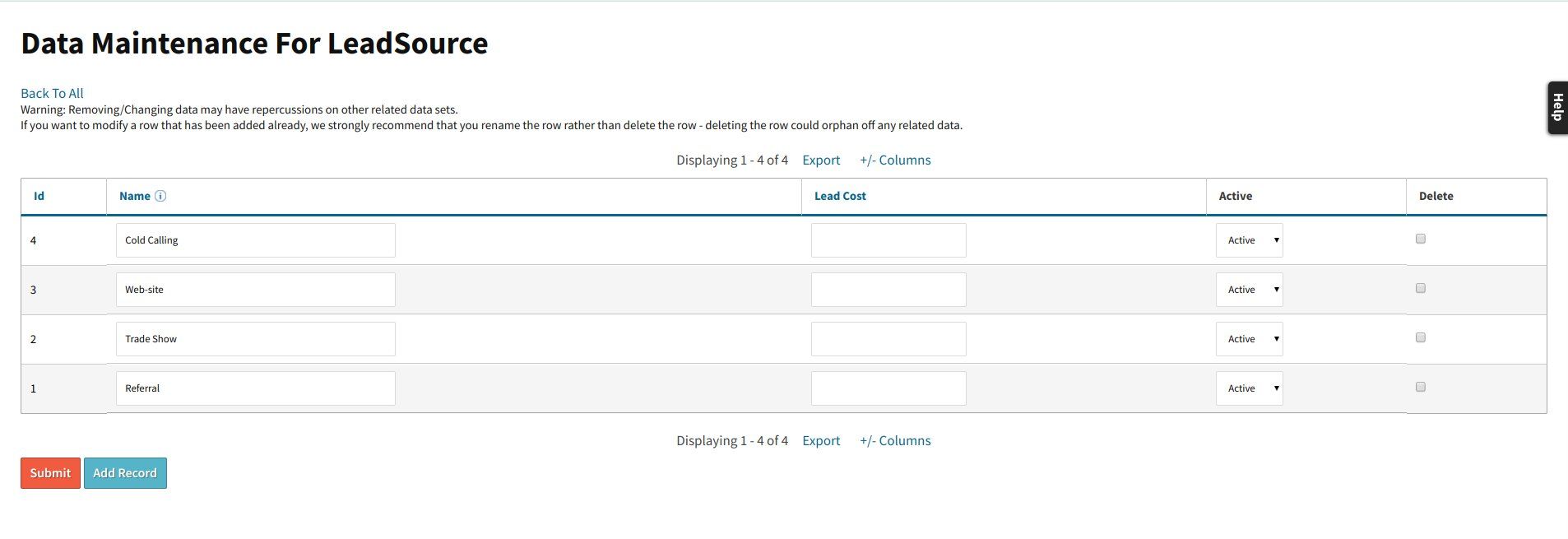
Every sales team tracks leads a little differently. Cetec ERP lets you define your own lead types and lead sources in Data Maintenance, so the values that appear on the lead record match the way your business thinks about marketing programs and opportunity categories.
When you add or adjust lead type and source options in Data Maintenance, those options are immediately available on new and existing leads. That keeps reporting consistent while still giving you the flexibility to reflect new campaigns or changes in how you classify work.
Track Lead States, Assignments, and History
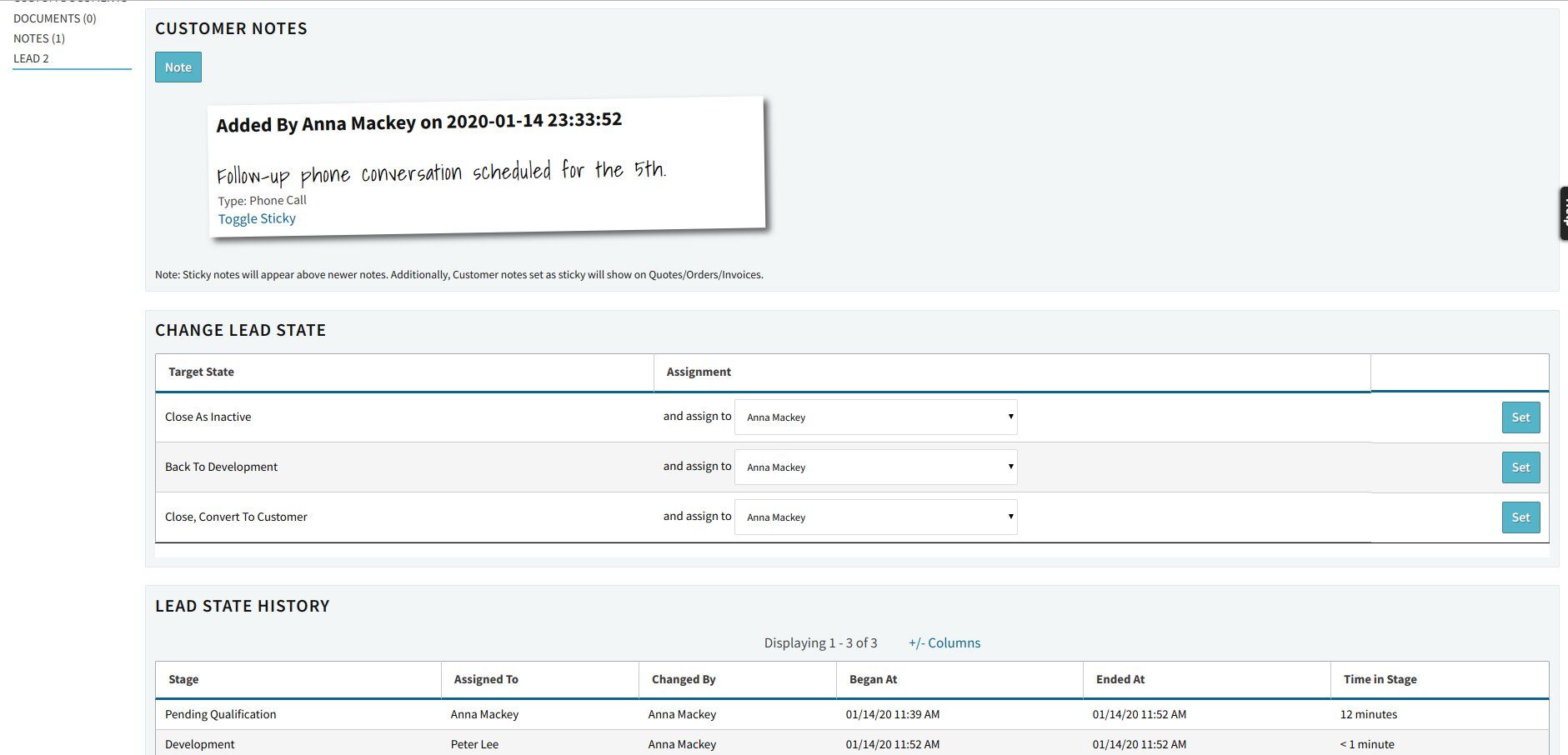
As a lead develops, your sales team can move it through defined lead states that reflect your sales process, such as new, in qualification, quoted, and won or lost. Each state change and assignment is recorded, which makes it clear who owns the next step and where the lead currently stands in the funnel.
Users can add notes, log calls or emails, and review the history of changes on the lead record. That context is valuable when a team member is out of office or when customer service needs to understand what was promised before an order is placed.
Convert Leads to Customers Without Losing Data
When a lead is won, Cetec ERP lets you convert the lead record directly into a customer record. Core information and history carry forward so customer service, accounting, and production can all see how the relationship began and what expectations were set during the sales cycle.
If a lead is lost, the record can be closed or set inactive while still retaining notes and state history. That preserves a complete picture of past activity without cluttering your active pipeline, and it gives your team a reference if the prospect returns later with a new opportunity.
Key Takeaways
- Cetec ERP includes integrated CRM so lead data lives in the same system as quotes, orders, and production.
- Users can create leads, enter key sales information, and customize lead types and sources through Data Maintenance.
- Lead states, assignments, and history give clear visibility into ownership and progress for every opportunity.
- Converting a lead to a customer preserves context, so downstream teams see the full story without rekeying data.
Conclusion
Managing leads inside Cetec ERP keeps sales activity tied to the same records your operations, accounting, and customer service teams already rely on. By using integrated CRM for lead entry, qualification, tracking, and conversion, your manufacturing business can maintain a clean funnel and move new customers into production with less manual work and fewer handoff gaps.
Related articles
